
Download Duplicate Similar Photo Cleaner – Free AI-Powered Duplicate & Similar Photo Remover for Windows, Mac, Android & iOS
Looking for a reliable, secure, and free tool to clean up your digital photo collection? Duplicate Similar Photo Cleaner is a powerful software designed to detect and remove duplicate and near-identical images across your computer and mobile devices. Using advanced AI-driven algorithms, this tool analyzes photos like a human would—focusing on content, composition, and visual similarity—ensuring no important image is mistakenly deleted.
Whether you're managing thousands of vacation photos, backed-up files, or synced folders across devices, this app helps reclaim valuable storage space without the hassle. With support for multiple file formats, customizable scan settings, and a user-friendly interface, it's one of the best duplicate photo cleaners available in 2024. The software is lightweight, fast, and safe, making it ideal for both beginners and advanced users.
You can preview images before deletion, schedule automatic scans, and even back up duplicates before removal. Available for Windows, Mac, Android, and iOS, this free software ensures your media library stays organized and clutter-free.
Why Duplicate Similar Photo Cleaner Stands Out in 2024
When it comes to managing digital photo libraries, clutter is inevitable. Whether you’ve backed up your phone photos to your PC, synced across cloud services, or simply saved the same image in multiple folders, duplicates can quickly eat up gigabytes of storage. Duplicate Similar Photo Cleaner solves this problem with a smart, AI-powered approach that goes beyond simple file name or size comparisons. Unlike basic tools that rely on metadata or checksums, this software uses visual similarity detection—analyzing actual image content, lighting, composition, and even minor edits like cropping or resizing. This means it can identify a slightly edited version of a photo (e.g., a cropped portrait or a resized landscape) as a duplicate, which most tools miss.
One of the standout features is the built-in image viewer and selection assistant, which allows you to review each potential duplicate side by side. You can easily compare thumbnails, zoom in for details, and make informed decisions before deletion. The tool also supports bulk removal with customizable thresholds—set how similar two images must be to be flagged as duplicates (e.g., 90% similarity).
This level of control prevents accidental deletions of unique images. Additionally, the software offers flexible scan options: choose specific file types (JPEG, PNG, HEIC, etc.), exclude certain folders, or limit scans to files above a certain size. For users who want hands-off maintenance, the automatic scheduling feature ensures your photo library stays clean without manual intervention.
Performance-wise, the app is impressively lightweight. It runs efficiently in the background, consuming minimal RAM and CPU, making it suitable for older systems. The interface is clean and intuitive, with options to sort results by date, file size, location, or name. Whether you’re a casual user with a few hundred photos or a photographer managing terabytes of media, this tool adapts to your needs. With no intrusive ads or trial limitations, the free version delivers full functionality—making it a top choice for anyone seeking a secure, fast, and intelligent duplicate photo cleaner.
Easy Installation, Intuitive Usage & Full Compatibility
Getting started with Duplicate Similar Photo Cleaner is a breeze. The software is available for Windows (7 and later), Mac (10.13 and above), Android (6.0+), and iOS (12.0+), ensuring broad accessibility across devices. The installation process is straightforward—download the installer from the official website, run it, and follow the on-screen prompts. No complex configurations or system tweaks are required. Once installed, the app launches quickly, and the first-time tutorial guides you through the core features, making it beginner-friendly.
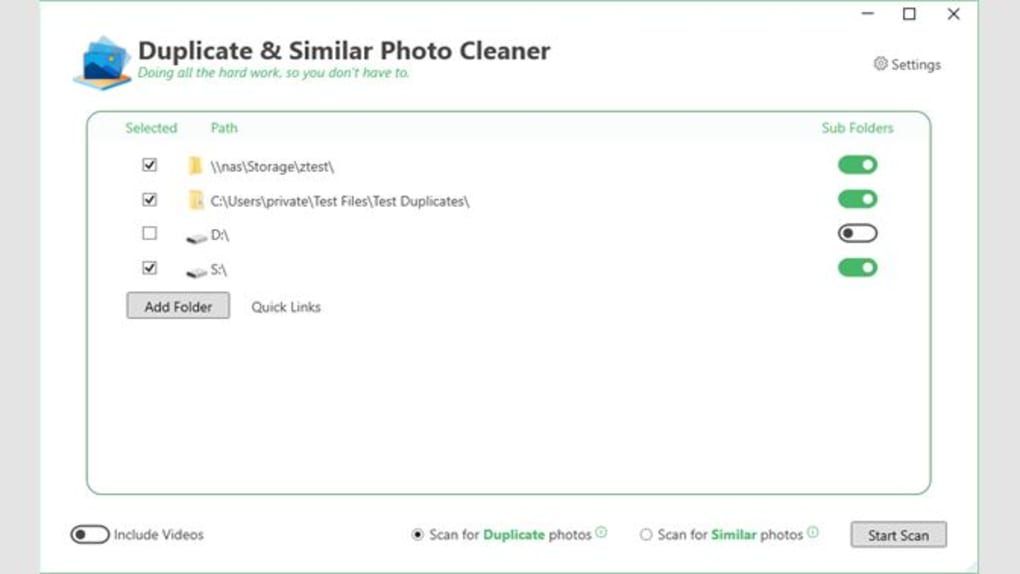
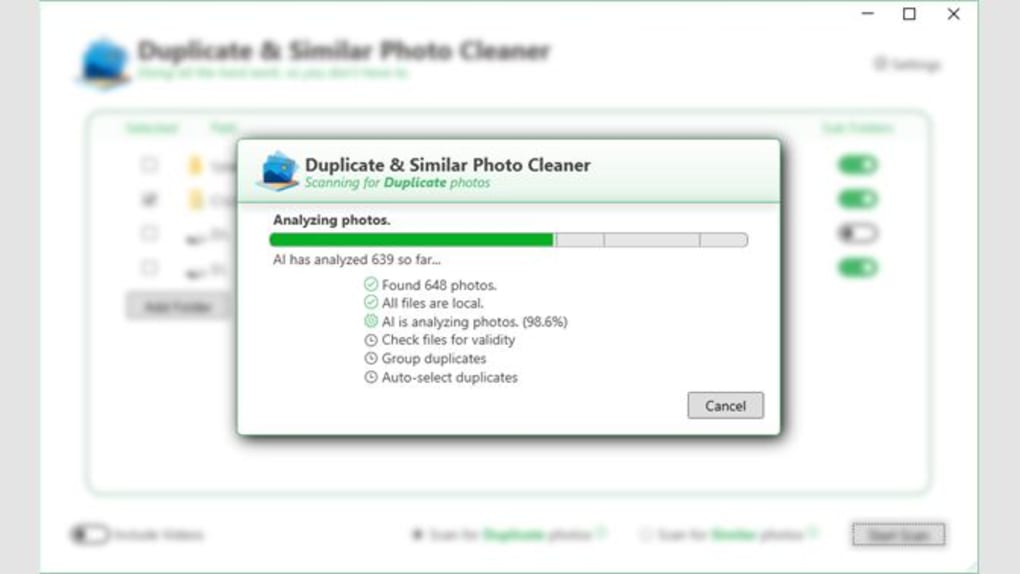
Using the software is equally intuitive. To begin a scan, simply click “Add Folder” and select the directories you want to analyze—your Pictures folder, external drives, cloud sync folders, or even mobile device storage (via USB or network connection). You can add multiple folders at once and even exclude specific ones (e.g., your “Archive” folder) to avoid scanning irrelevant content. The scan engine runs efficiently, processing images in real-time and displaying results in a clean, organized interface.
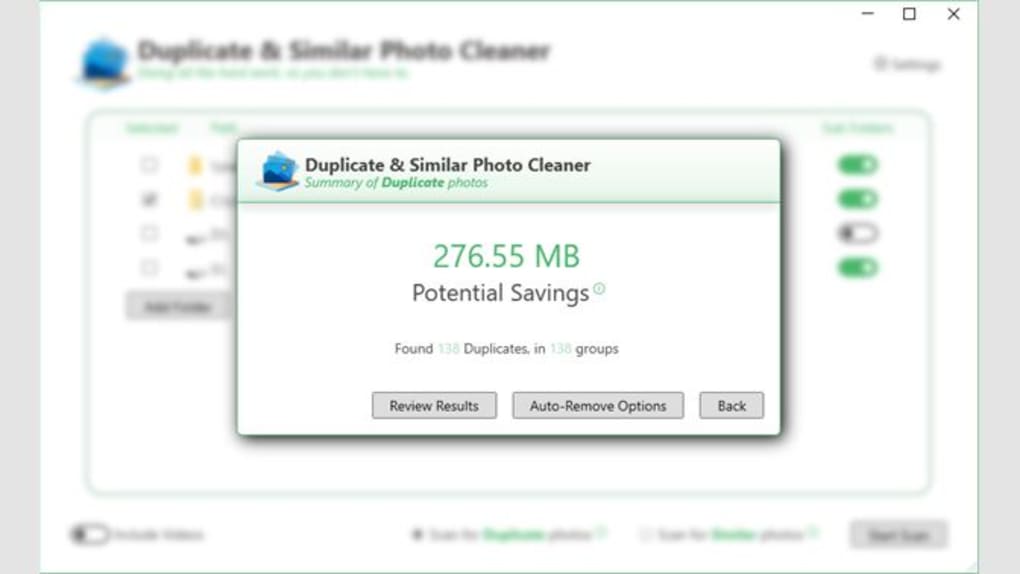
After scanning, you’ll see a list of duplicates and similar images. You can switch between grid and list views, preview images with a click, and use the selection assistant to mark which versions to keep. Before deletion, you can send duplicates to the Recycle Bin or a designated backup folder—adding an extra layer of safety.
The tool also supports advanced settings like similarity threshold (adjustable from 70% to 99%), file size filters, and scan scheduling. For example, you can set it to run every Sunday at 2 AM, ensuring your library stays clean without any effort. With support for all major image formats, including HEIC, WebP, and RAW, this tool is truly versatile and future-proof.
Pros, Cons & Frequently Asked Questions
Key Features
- AI-powered visual similarity detection for accurate duplicate identification
- Support for Windows, Mac, Android, and iOS platforms
- Side-by-side image preview and selection assistant
- Customizable similarity threshold and file size filters
- Automatic scan scheduling and bulk deletion options
- Safe deletion with recycle bin or backup folder option
- Lightweight, fast, and low system resource usage
- Free to download and use with no trial limitations
Pros
- Highly accurate duplicate detection using AI, not just file names
- Intuitive interface with no learning curve
- Supports all major image formats and devices
- Safe deletion with preview and backup options
- Perfect for users with large photo libraries
- Free version offers full functionality
Cons
- No cloud sync integration (e.g., Google Photos, iCloud) within the app
- Advanced AI features are limited in the free version
- Mobile version lacks some desktop-level customization
Frequently Asked Questions (FAQ)
Is Duplicate Similar Photo Cleaner really free?
Yes, the core version of Duplicate Similar Photo Cleaner is completely free to download and use. It includes full access to AI-powered duplicate detection, image preview, bulk deletion, and automatic scanning—no hidden fees or trial limits.
Can it detect similar photos that are slightly edited?
Absolutely. The AI engine analyzes visual content, not just file names or metadata. It can identify cropped, resized, or color-adjusted versions of the same photo as duplicates, ensuring no similar image slips through.
Does it work on Mac and mobile devices?
Yes, the software is available for Windows, Mac (10.13+), Android (6.0+), and iOS (12.0+). Each version is optimized for its platform, ensuring smooth performance and compatibility.
Can I recover deleted photos after removal?
Yes, by default, deleted duplicates are sent to the Recycle Bin (Windows) or Trash (Mac). You can also choose to move them to a backup folder before deletion, giving you full control and recovery options.
How often should I run a scan?
For best results, run a scan monthly or after syncing large photo libraries. You can also set up automatic scans (e.g., weekly) to keep your storage optimized without manual effort.
Final Verdict: A Must-Have for Digital Photo Management
If you’re tired of cluttered folders, wasted storage, and the stress of losing important photos during cleanup, Duplicate Similar Photo Cleaner is the solution you’ve been waiting for. Its AI-driven accuracy, user-friendly design, and cross-platform availability make it one of the most trusted tools in 2024. Whether you're a student, professional, or casual user, this free software helps you reclaim space, organize your memories, and maintain a clean digital life—all without compromising safety or performance.
With no trial restrictions, no ads, and full feature access, it’s a rare gem in the world of free software. The ability to preview, schedule, and back up duplicates ensures peace of mind. While the mobile version has minor limitations, the desktop experience is top-tier. For anyone serious about digital organization, this is the best free duplicate photo cleaner available.
Download Duplicate Similar Photo Cleaner today and start freeing up space with confidence.







